
System Management
System Management hosts the platform's RBAC system and base configuration: users, roles, menus and dictionaries.
User Management
Manages platform accounts.
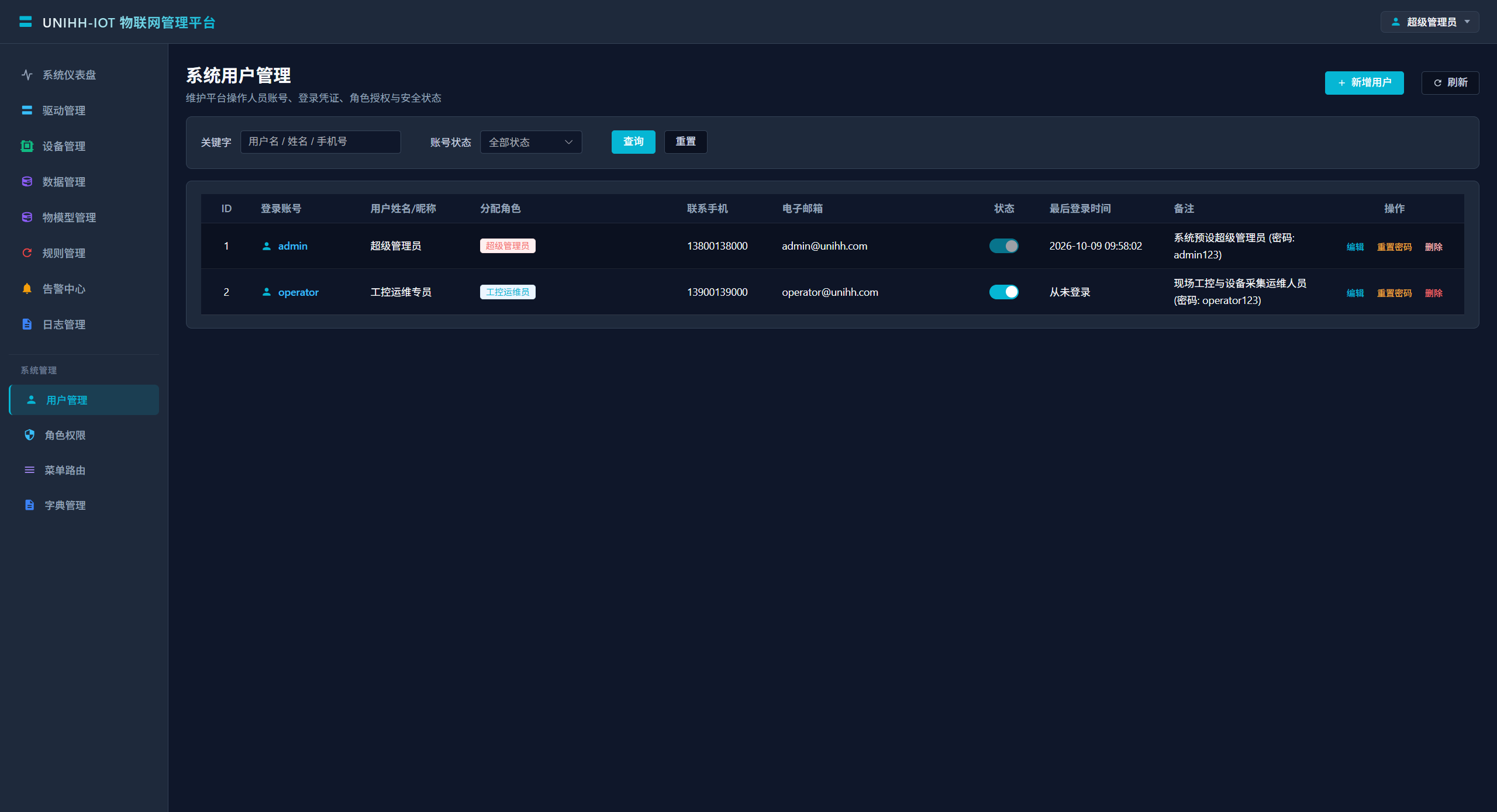
Finding Users
| Filter | Description |
|---|---|
| Keyword | Fuzzy match on username / name / phone |
| State | Enabled / frozen |
Creating a User
| Field | Description |
|---|---|
| Username | Letters and digits, globally unique |
| Display name | Person's name |
| Roles | Determine visible menus and permitted actions |
| Phone / email | Contact details |
| State | Frozen accounts cannot sign in |
| Note | Optional |
The list also shows each account's last sign-in — consider recycling accounts that have been idle for a long time.
Note
Do not share the admin account. Give every operator an individual account with the minimum role required, so actions trace back to a person.
Roles and Permissions
Roles carry permissions: check the menus/features a role grants, then assign roles by job function.
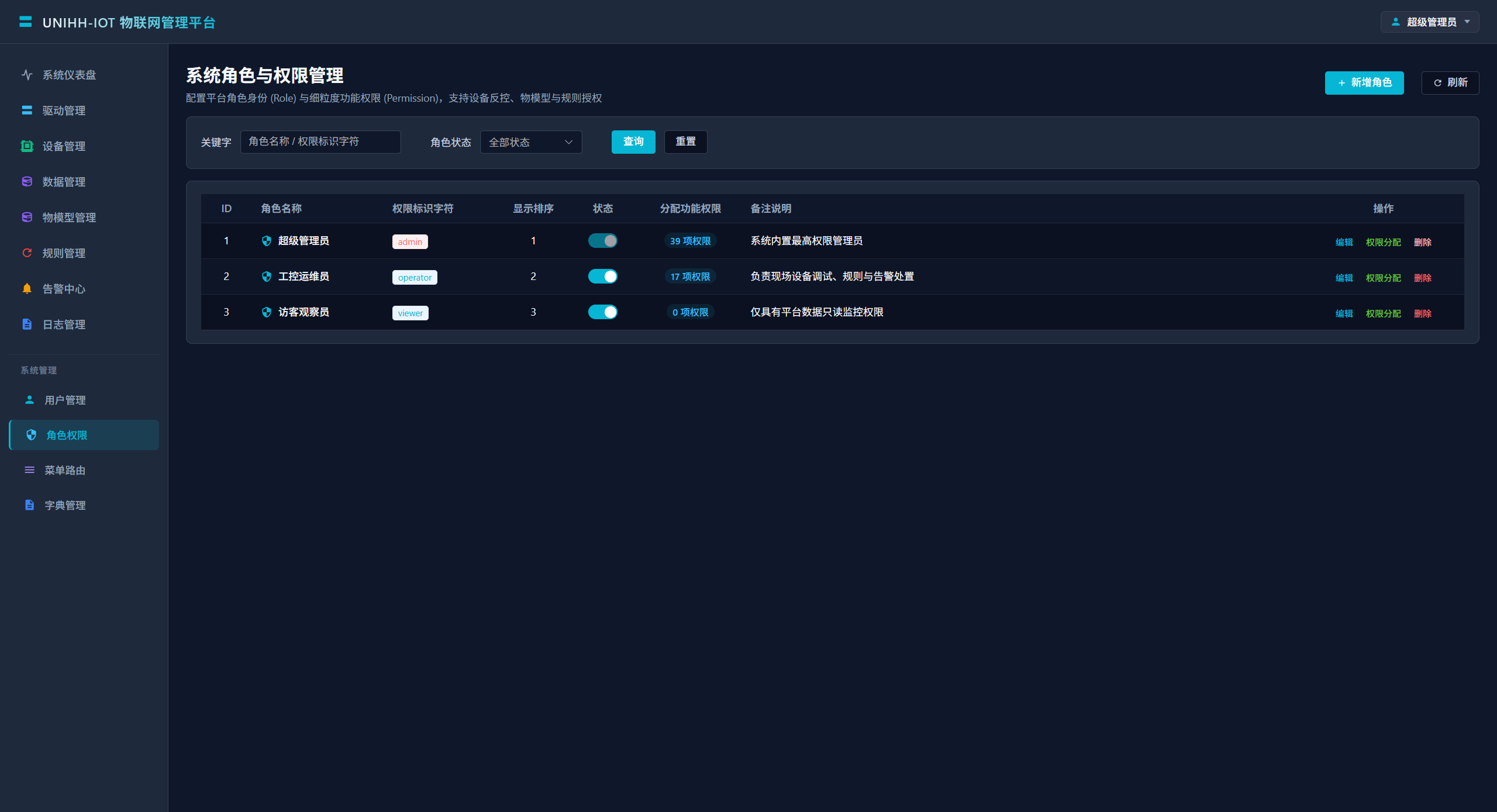
A typical role plan:
| Role | Scope | Fits |
|---|---|---|
| Super admin | Everything | Platform owner (1–2 people at most) |
| Maintenance engineer | Drivers, devices, data, alarms, logs | Field maintenance |
| Operator / shift staff | Dashboard, data monitor, alarm handling | Control-room shifts |
| Observer | Dashboard, data monitor | Management, read-only |
Menu Routing
Maintains the left navigation tree. Menu items bind to frontend route components and load dynamically per role.
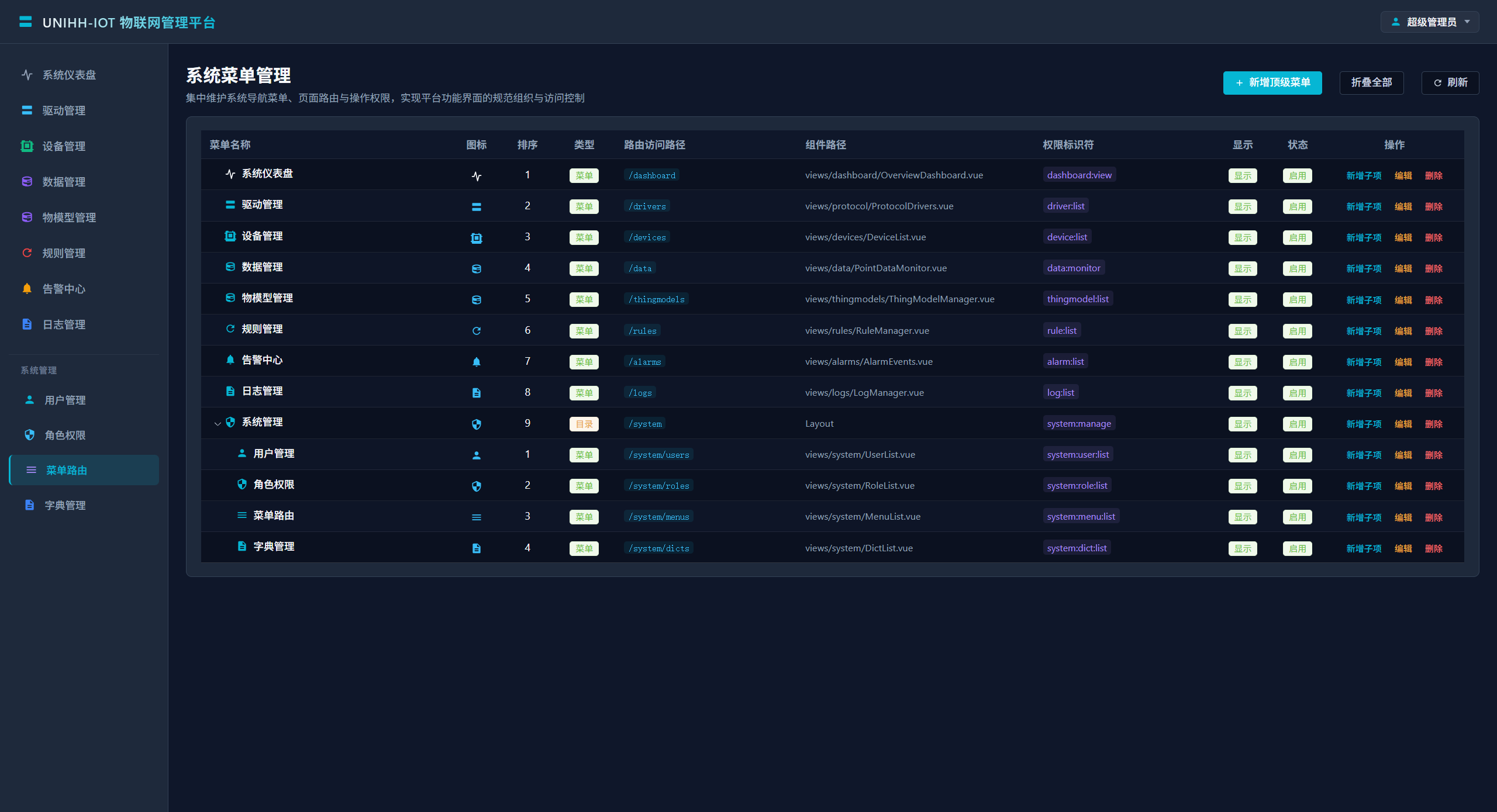
Notes:
- New pages must be registered here (component paths map to
.vuefiles undersrc/views); - Layout and visibility changes apply after a page refresh;
- Avoid disabling built-in system menus — functionality may break.
Dictionaries
Manage enumerated dropdown data used across the platform (alert levels, event types, industry categories, etc.).
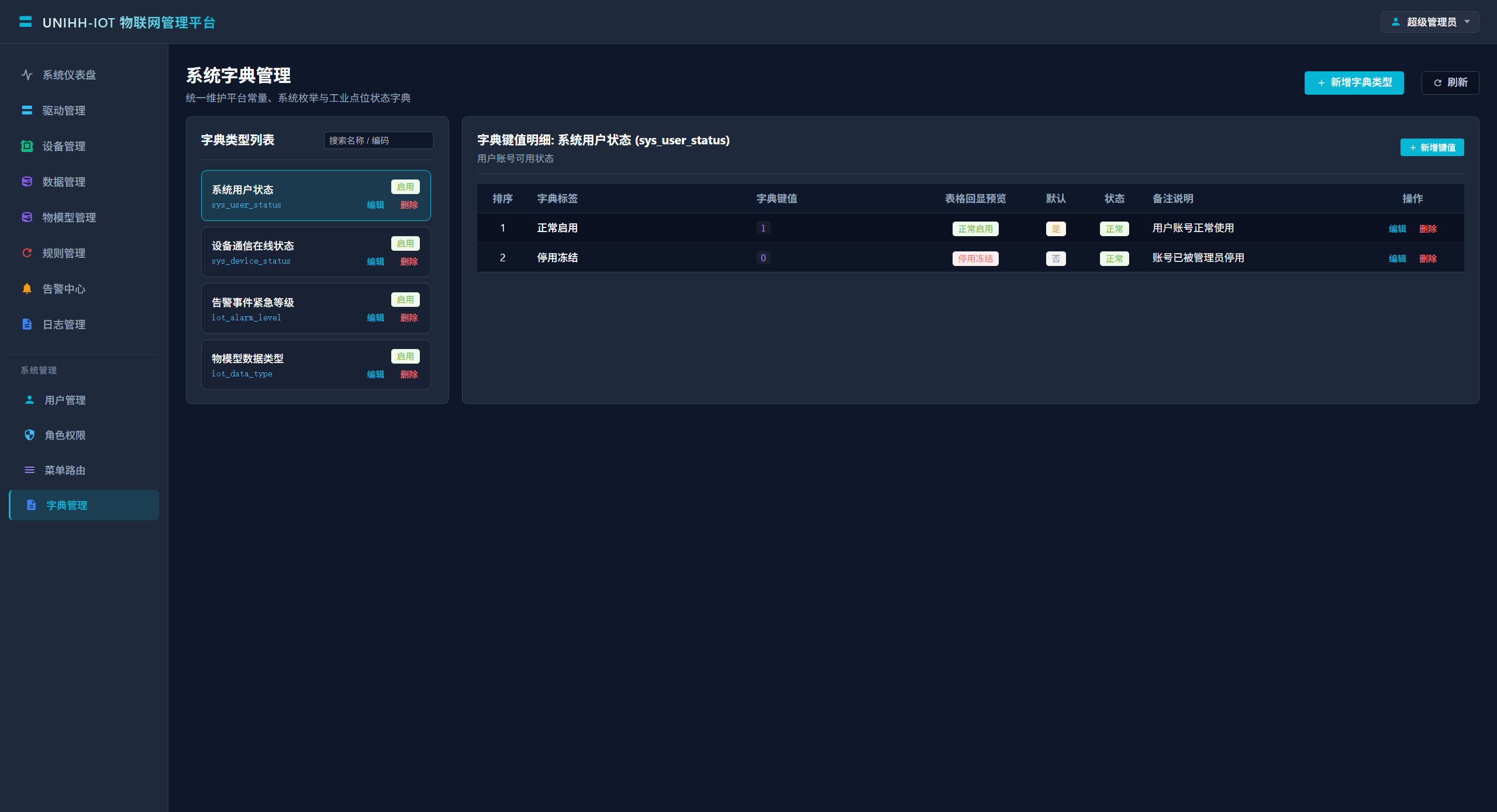
Notes:
- Entries are grouped by type, each holding key-value items;
- Editing a dictionary only affects future data rendering; historical data keeps its stored value;
- Prefer dictionaries over hard-coded options for any new business enumeration.