
Driver Management
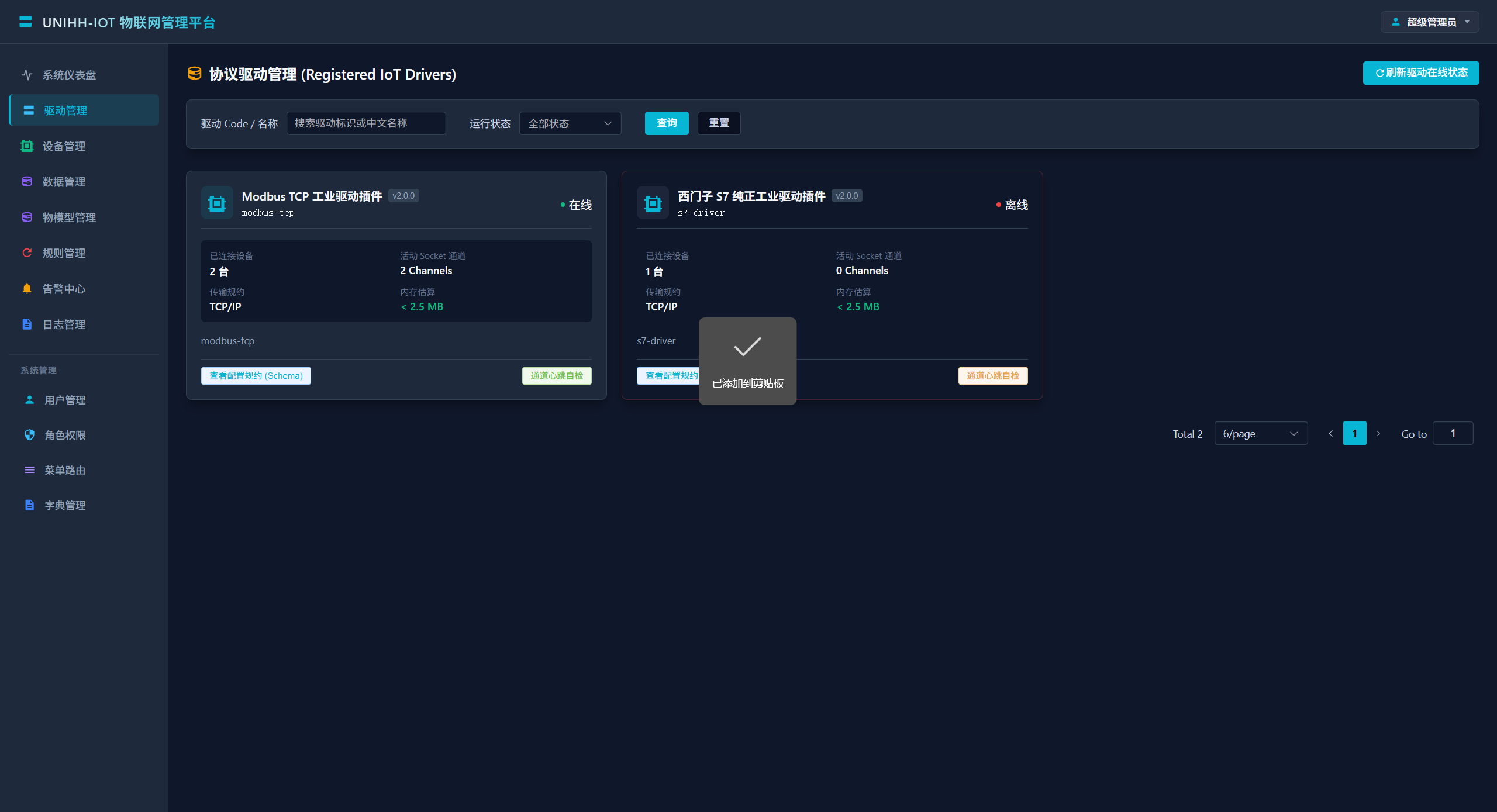
Protocol drivers are the bridge between the platform and physical devices, running as independent microservice processes. This page shows runtime status, driver parameters, and provides the channel heartbeat self-check.
Where Drivers Come From
The list is maintained automatically — there is nothing to configure by hand. A driver process registers itself over EMQX on the iot/driver/register topic at startup, then reports a heartbeat every 5 seconds. When a process stops or crashes, the platform marks it offline via the LWT last-will message or the heartbeat watchdog (15-second timeout).
So to make a driver appear online, simply start the driver process:
| Driver | Default port | Protocol |
|---|---|---|
unihh-driver-modbus | 28011 | Modbus TCP / RTU |
unihh-driver-s7 | 28012 | Siemens S7-200 SMART / 300 / 1200 / 1500 |
unihh-driver-opcua | 28013 | OPC UA |
Search and Filter
The top bar supports fuzzy search by driver code / name and filtering by state (online Running / offline Offline).
Driver Cards
Each card shows one driver's live status:
| Field | Meaning |
|---|---|
| Driver code | Unique identifier, referenced when creating devices |
| State | Online / offline |
| Connected devices | Devices currently managed by this driver |
| Active socket channels | Live connection handles underneath |
| Protocol | What the driver speaks |
| Memory estimate | Estimated process memory footprint |
| Parameter defaults | Connection parameter definitions; the device form is generated from this schema |
Channel Heartbeat Self-Check
The channel heartbeat self-check button runs a dual verification against the driver:
- Preferred: an HTTP probe of the driver endpoint (
{serviceUrl}/api/v1/driver/status, 2-second timeout) that returns active devices, socket handle counts and the computed round-trip time (RTT); - Fallback: real-time MQTT heartbeat liveness.
On success the driver flips to online immediately and you get the millisecond latency; on failure the platform corrects its state to offline and cascades all attached devices offline.
When to use it
- The page shows offline but you suspect a stale state — one click confirms;
- Acquisition feels slow — compare the returned RTT against history to separate network issues from driver issues.
Troubleshooting
Driver stays offline?
- Confirm the process is running and listening (
netstat -ano | findstr 28011); - Confirm EMQX is up and both platform and drivers point at the same broker;
- Run the heartbeat self-check and read the result;
- Check driver logs for MQTT auth errors (default credentials are
unihh/unihh— a common culprit).
How do I change driver parameters?
Connection parameters are configured per device on Device Management. The form is generated from the driver's parameter schema, and changes are hot-pushed over MQTT — no restart required.