
Rule Engine
The rule engine evaluates point data in real time and fires linked actions — a device write-back or a log entry — when conditions are met. It is what makes unattended operation possible.
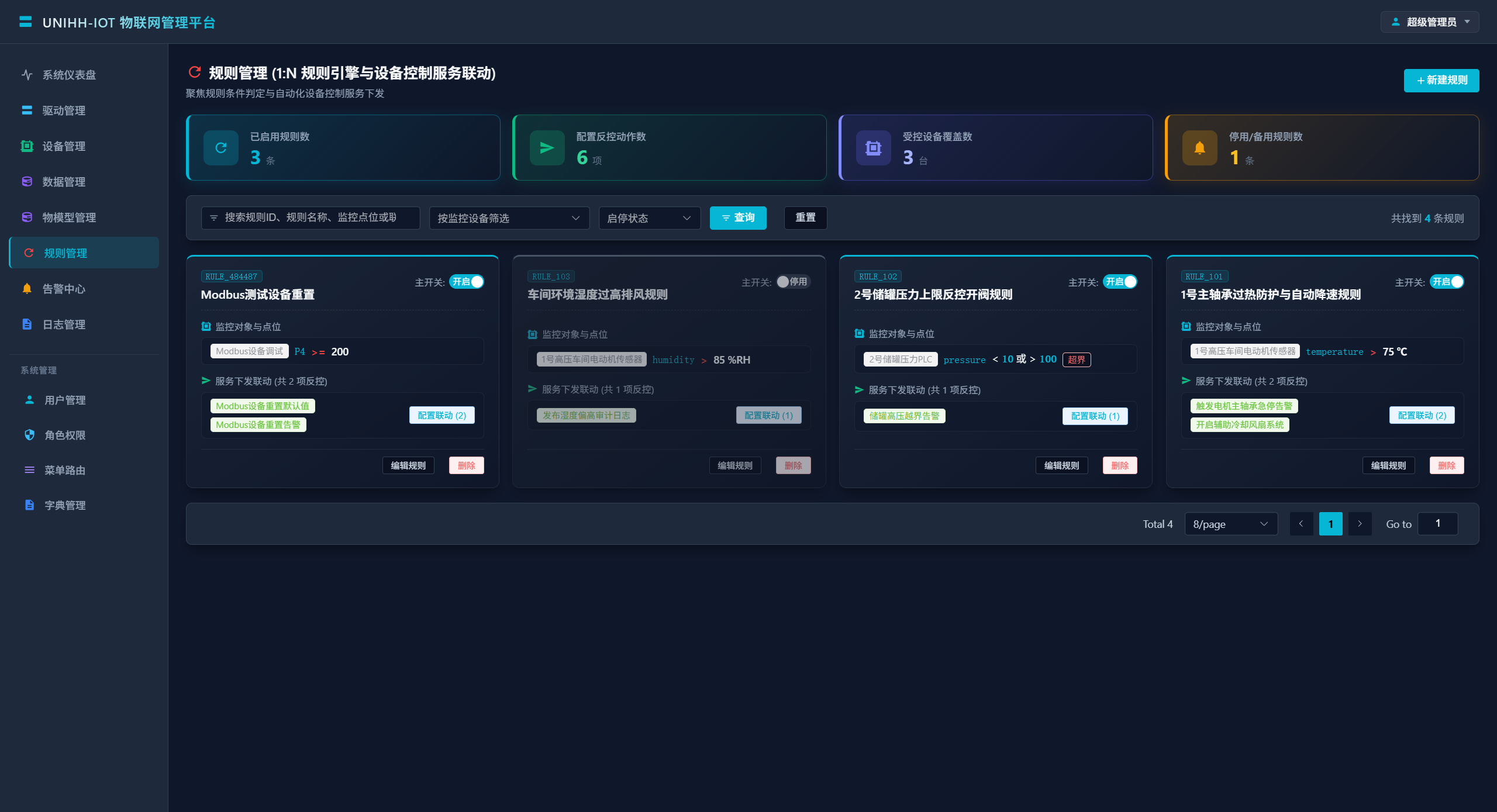
Finding Rules
| Filter | Description |
|---|---|
| Keyword | Fuzzy match on rule ID, name, monitored point or linked command |
| Device | Filter by bound device |
| State | Enabled / disabled |
Creating a Rule
Basics
| Field | Description |
|---|---|
| Rule ID | Unique (e.g. RULE_101) |
| Rule name | Spell out the scenario, e.g. "fan 1 bearing over-temperature: auto fan + slow-down" |
| Monitored device | The device under watch |
| Point / event | A property point or thing-model event of that device |
Condition
| Field | Description |
|---|---|
| Condition type | One of single-point threshold, in-range, out-of-range |
| Operator | For thresholds: >, >=, <, <=, ==, != |
| Threshold | Target value for single-point conditions |
| Min / Max | Bounds for range conditions, e.g. 20.0 <= point <= 80.0 |
Trigger mode
Controls when the condition is evaluated, complementing the point's sampling mode: PERIODIC points are evaluated each acquisition cycle; COV points are evaluated when the value changes.
Linked Actions
Each rule carries multiple actions, each with its own on/off switch:
| Field | Description |
|---|---|
| Action type | SERVICE (write-back) / LOG (record) |
| Action name | Human label (e.g. "auto-start cooling fan") |
| Config / command payload | For SERVICE: target point/service and value; for LOG: the message template |
A typical pairing for over-temperature: a SERVICE action to start the cooling fan plus a LOG action. Even rules without a write-back feed the Alarm Center with events.
Enabling and Testing
- Create rules disabled first; enable them once the point data is verified;
- Before enabling a
SERVICErule, confirm point quality on Data Monitor to avoid false triggers; - Command executions triggered by rules show up in Log Audit.
Worked Examples
Bearing over-temperature slow-down
| Setting | Value |
|---|---|
| Point | BearingTemp bearing temperature (RW) |
| Condition | Threshold: > 80.0 °C |
| Action 1 | SERVICE: start cooling fan |
| Action 2 | SERVICE: set frequency to 30 Hz |
| Action 3 | LOG: "bearing temperature above 80 °C" |
Pressure envelope
| Setting | Value |
|---|---|
| Point | TankPress tank pressure |
| Condition | Out-of-range: < 0.2 or > 0.8 MPa |
| Action | LOG: record the violation with the live value snapshot |